
Problem:
Our financial institutions expressed the pain point of their customer service representatives having to spend an increasing number of hours on calls from their customers with basic issues like locked accounts and forgotten passwords which can easily be solved with self service. Although they do provide the self service information in the FAQ section, their users by in large go directly to the contact us page in order to call in when experience these issues.
How might we:
How might we automate the process of a forgotten password or a locked account in order to alleviate the customer service agent so they can focus on more complex issues
Context:
Our team decided to tackle this problem using a five day design sprint in order to get direction for our banking support bot pilot. We cleared our calendars for a week and followed the design sprint process laid out in Jake Knapp’s book Sprint.
The Team:
Our team consisted of the following members:
- 2 Product managers
- 1 Engineer manager
- 1 QA tester
- 1 Front end developer
- 1 Back end developer
- 3 subject matter experts (as needed)
My Role:
My role was to lead the team through process, coordinate the research activities, bring in real users at the end of the week and to provide designs and prototypes.
Goal:
Our goal was to follow the design sprint process, identify an area of focus and have a working prototype by the end of the week that we would test with five real users.
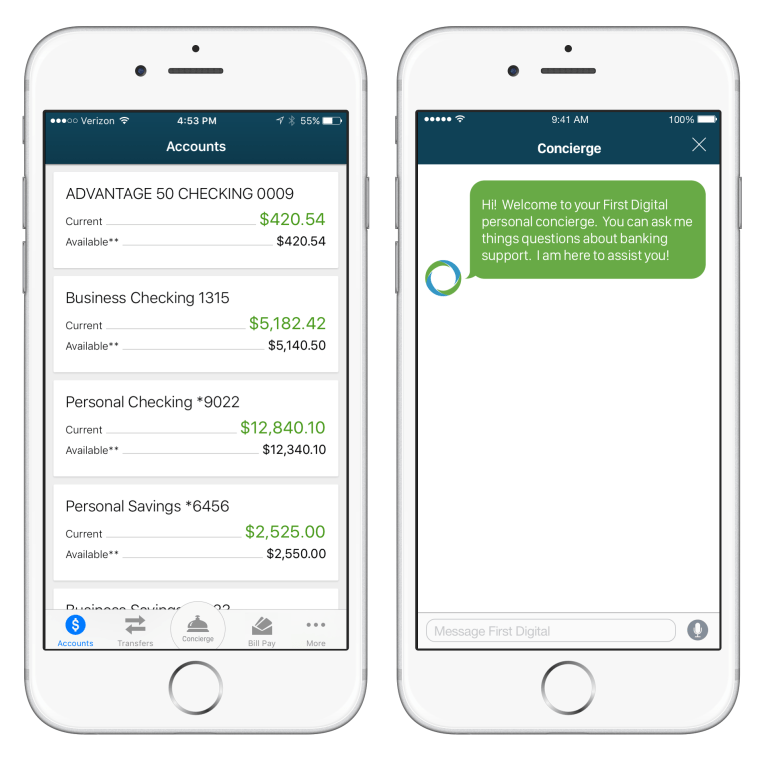
Final Design
Sprint goals
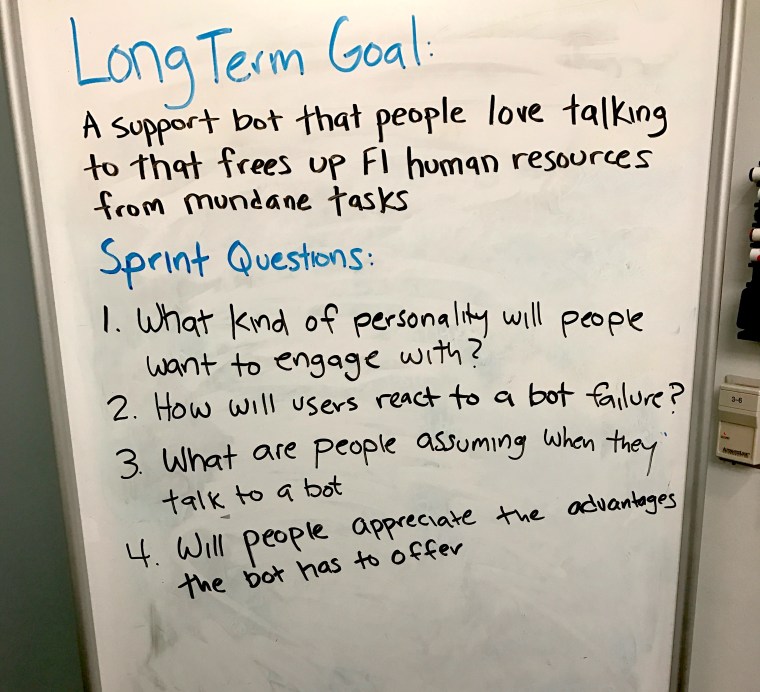
Our first order of business was to establish our sprint goal and sprint questions. Our sprint goal was to create a support bot that people love talking to that frees up customer support agents from mundane tasks
Our sprint questions:
- What kind of personality will people want to engage with?
- How will uses react to a bot failure
- What are people assuming when they talk to a bot?
- Will people appreciate the advantages the bot has to offer?
Customer journey mapping
We created a customer journey map of the potential user experience. We used this map to identify the area of focus for our prototype. The area of focus was voted on by all of the team members. We decided to prototype our area where the user would first interact with the bot, in our case it would be on the contact screen inside the consumer mobile application
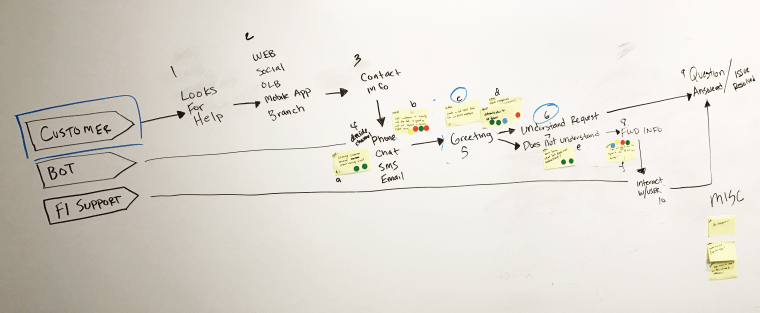
The Map
Ideation
We started off our day of ideation with a “show and tell” in order to get our creative juices flowing. Each team member shared some of their favorite digital experiences to the group. We then analyzed these experiences by breaking them down into smaller parts to discover what made them great.
In the afternoon we started our solutioning phase. Each team member would sketch out their proposed design that would solve our problem. After the sketches were complete, they were hung up on the whiteboard anonymously. We each voted on our favorites during a silent vote.
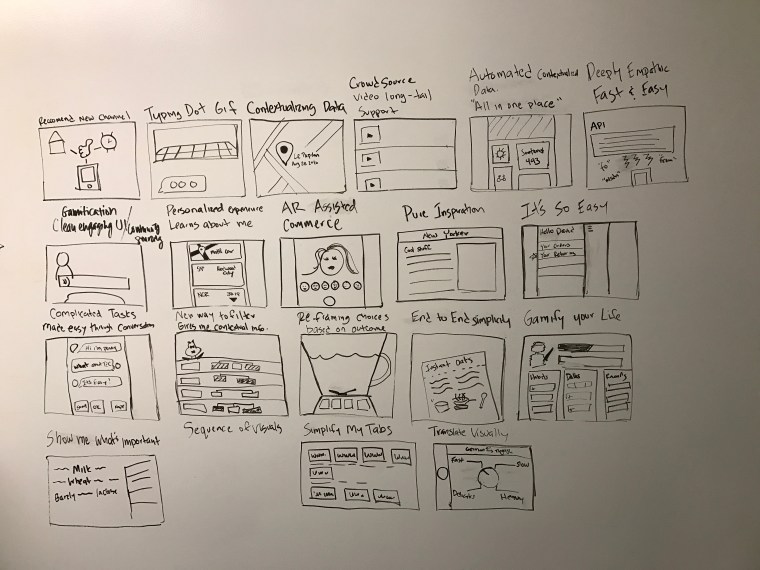
Show & Tell – what we liked
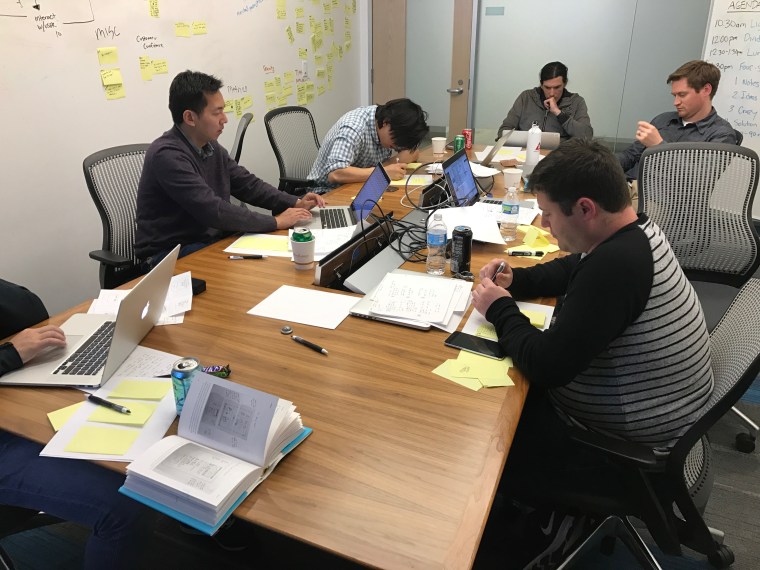
Silent sketching
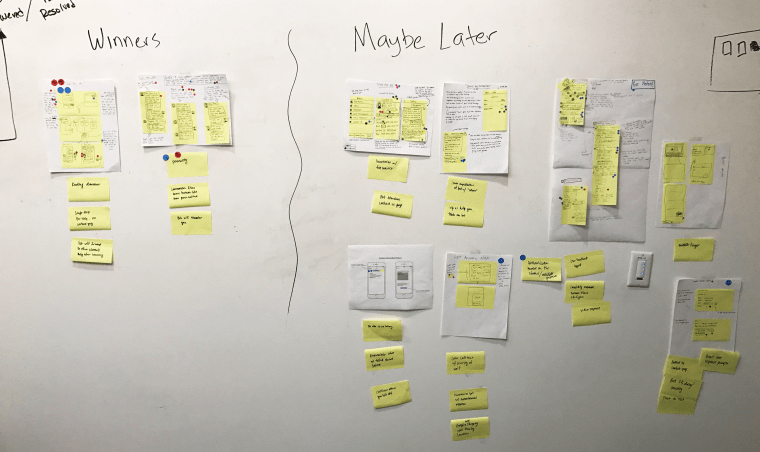
Voting outcome
Prototyping
The outcome of our ideation was that were going to create two separate tests. One version of our bot would leverage our current NLP framework. This bot was called the “Banking intern” as we knew that it wouldn’t be able to answer all of the questions a user might have, but it was more realistic in terms of what our current capabilities were. The second version was a “Wizard of Oz” bot called the “Concierge”. Which would allow the user to type in questions and one of our team members would answer them in real time to simulate more advanced capabilities.
The simulated user experience was the user would open up their banking mobile application to discover their account was locked. They would navigate to the help screen which lead them eventually to the contact page providing a link to the chatbot.
The main goal of the prototype was to create an experience that seemed real enough for the user to provide feedback and reactions to
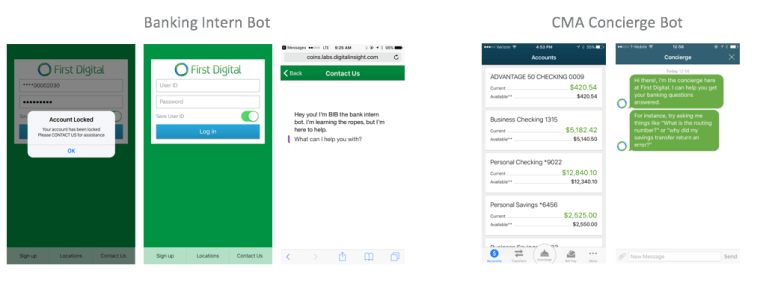
Two prototypes
Testing our prototype with real users
Finally the day came where it was time to test our prototype with real users. By this time we observed how the design sprint process was engaging all of our team members. Everyone was excited to come into the office on Friday (an unofficial work-from-home-day) to see how users would react to what we had built.
We had set up a makeshift usability lab in one of our conference rooms in order to record everything that happened during the session. We had cameras set up facing our test subjects in order to see their reactions and cameras set up on the device itself to see what the user was doing. Our team was located in a different room and was able to observe the sessions in real time.
During the sessions our teams would take notes on stickies and post them on the wall in the categories that contained our 4 sprint questions.
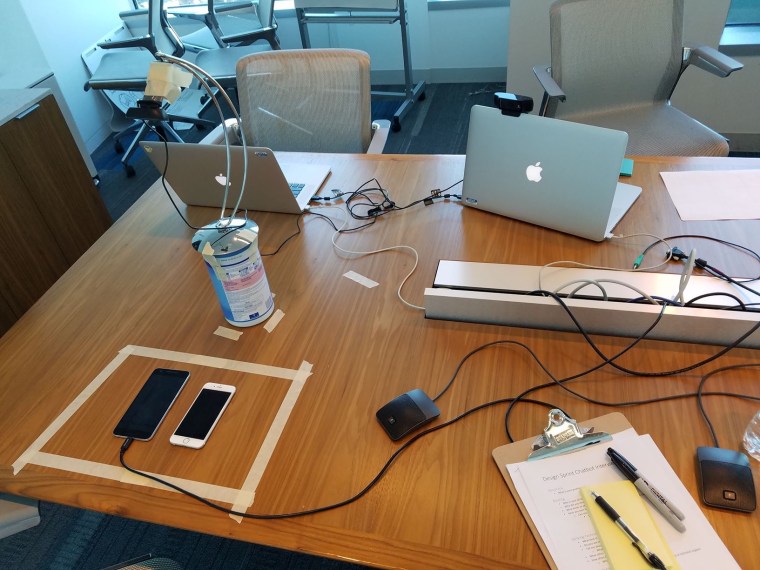
Makeshift Usability Lab
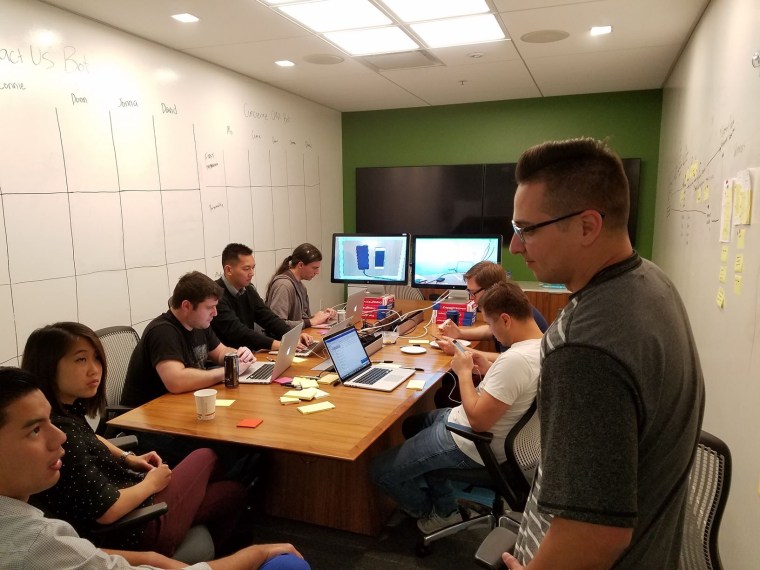
Observation room
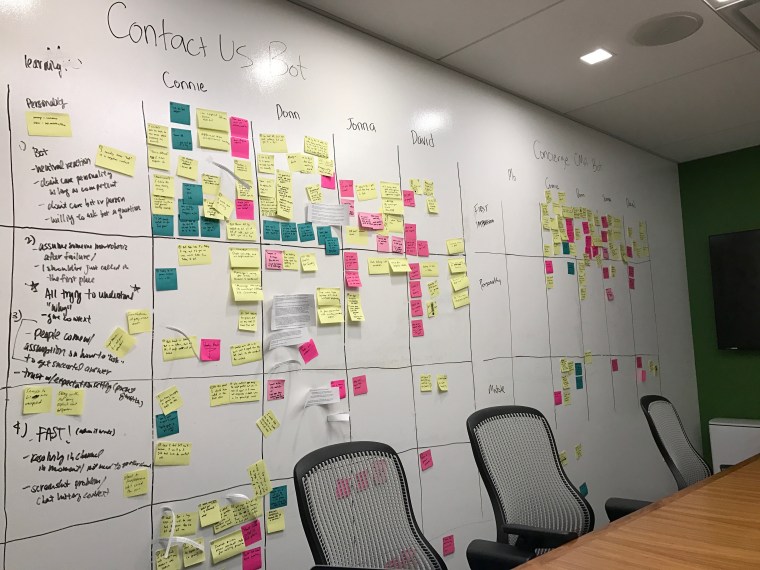
Notes from Usability Sessions
Analysis of results
After our testing sessions we unpacked our results from the whiteboard and were able to identify some behavior patterns and key take aways that were derived from our sprint questions
- Personality
- “I mainly hear the word ‘bot’ in a negative context”
- I don’t care about personality as it works
- Users were all willing to try by asking the bot a question
- Concierge sounds confidence. Banking intern bot sounds like it won’t be able to help me
- Reacting to bot failure
- “I should have just called in the first place”
- I need to understand how the bot works (i.e. type in keywords until it understands)
- General assumption that if the bot fails it will automatically transfer to a human
- What are people assuming when talking to a bot?
- Users come up with an assumption on how to ask the right question to get a successful answer. Humans trying to speak so a robot can understand
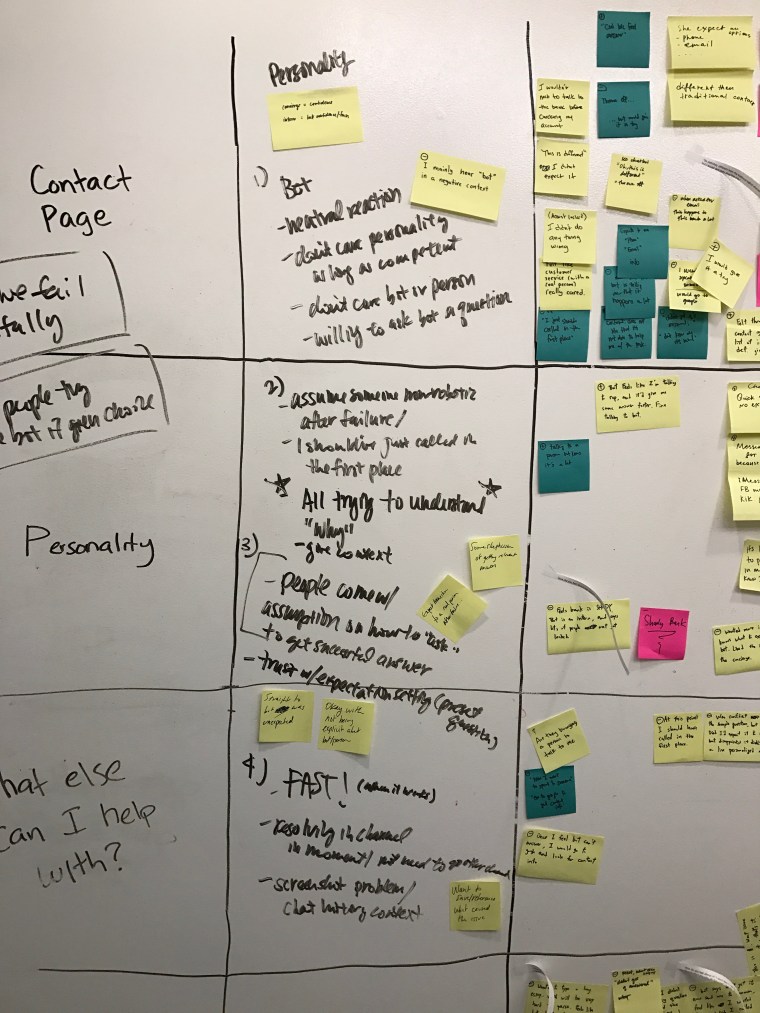
Tying observations back into original sprint questions
Next steps and future adaptations
After just 1 awesome week of design sprinting we had a ton of insights and learnings for our support chatbot. We felt like pursing the support use case was still viable, however we understood that due to the current limitations of our NLP framework we weren’t quite ready to pilot the concept for our financial institutions. Especially when we looked at the responses to bot failure. We decided that we still needed to do some testing, but this time with a larger audience.
Our next step was to take our learnings and create a facebook messenger bot for our upcoming conference. The idea was to create a bot to assist our attendees with all the information they needed while at the conference including; speaker schedule, after party locations, information and bios of speakers, etc
Based on our research during our design sprint we tried to incorporate the following design principles in the next iteration
- Be transparent – let the user up front what the bot is capable of to avoid failures. Include common questions as quick reply buttons during the introduction (i.e. show me speaker times)
- Confident but not over confident – Instead of telling the user up front that the bot is just an intern, greet them by letting them know what the current capabilities are and tell them that the bot is still a work in progress
- Provide a path to help – provide the user a clear way to get to a human if the bot can’t answer their question. If the bot fails 3 times suggest they call a phone number or send an email to the provided address
Future concepts and iterations
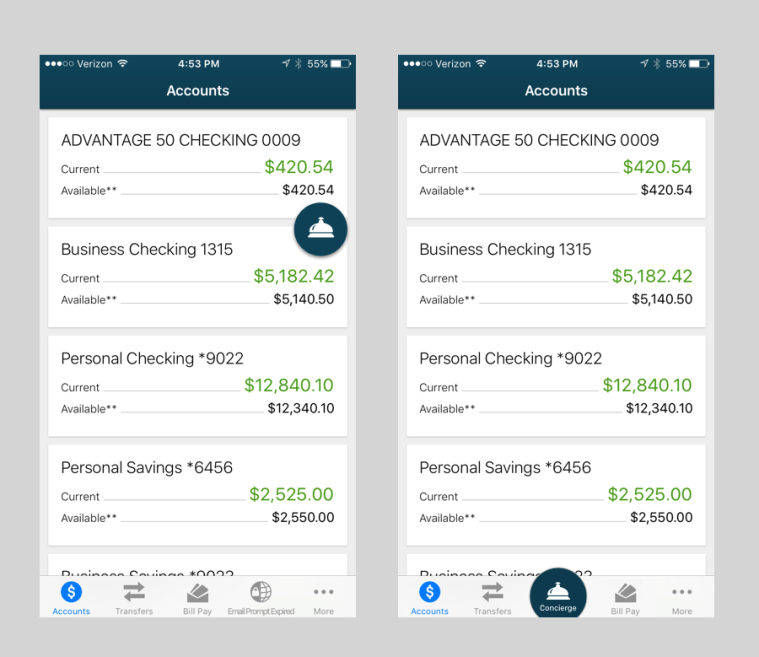
Concepts for bot entry point within mobile application
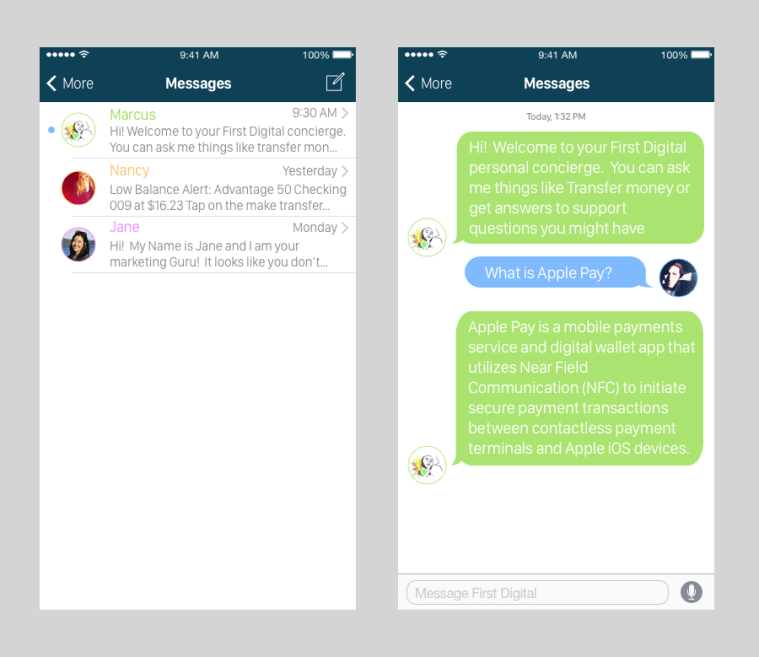
Messaging inbox – multiple chatbots
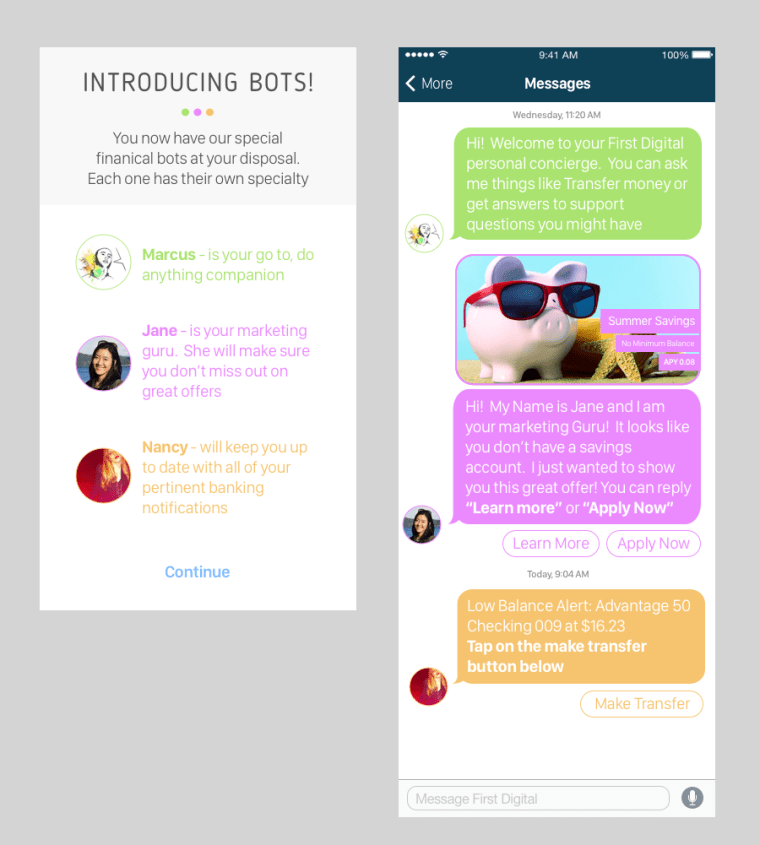
Introduction – multiple bots
 Eric Eastman